Schedule an Appointment

Schedule an appointment with the Essential Needs Hub

Staff in the Essential Needs Hub are available to meet with you. Walk-ins are welcome, but scheduling an appointment is helpful!

Download the app on the App Store or Google Play. You can also access Navigate360 at temple.navigate.eab.com.
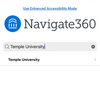
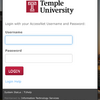
Search Temple University in the dropdown menu. You can login using your AccessNet username and password. *username example: tuj01234

If you are having trouble logging in, submit a ticket for help.

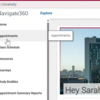
Screenshot of Navigate360
Screenshot of TUportal login

Make an Appointment

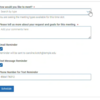
To schedule appointments, click the purple Appointments icon on the left navigation menu and answer questions about your preferred service, date, time and location.

Other Appointment Options
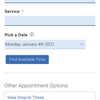
You can also view available drop-in times or request appointment times for your preferred service.

Appointment Invitations

Essential Needs Hub staff may also request for you to meet with them. When this happens, you will receive an appointment invitation that prompts you to choose a time that works for you.

Screenshot of scheduling a new appointment

Getting to EAB

  • Log into TUportal
  • Select the “TUapplications” dropdown
  • Select EAB-Navigate

Getting to Appointments (on web browser)

Once you are logged into EAB:

  • Click “Appointments” on the left-hand side
  • Click “Schedule an Appointment”
Screenshot of Navigate360
Nav360 schedule appointment

Getting to Appointments on the App

Once you are logged into the EAB app:

  • Select the rocketship icon from the bottom middle of your screen
  • Select the purple person icon labeled “Appointments” to get to the appointment center
Nav360 phone

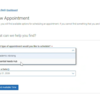
1. Select “Essential Needs Hub” from the first dropdown

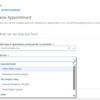
2. Select the service from the second dropdown.

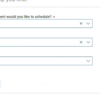
3. Select the preferred date and then click “Find Available Time”.

Nav360 select Hub
Nav360 select the service
Nav360 select the date

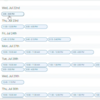
It will show you all available times with any staff member. Select your preferred time and then fill out the questions about type of appointment and a bit about your meeting request.

Nav calendar
Nav360 meeting request